Smartwings Smart Blinds
I installed 11 Smartwings Smart Blinds in my home to see if automated scheduling and solar charging could tame our afternoon sun. While the voice control can be finicky, the blackout performance and easy app scheduling are fantastic.
- Sent out a ton of free samples beforehand to ensure we matched the right color and fabric.
- Installation was incredibly fast; my wife and I put up 11 blinds in just two and a half hours.
- The blackout fabric completely blocks out blaring afternoon sunlight in our bedrooms.
- App scheduling lets me automatically close specific sun-facing blinds at 9 AM and the whole house at 7 PM.
- Slim solar panels stick right to the glass to keep the batteries topped off without running long wires.
- The two-sided tape on the mounting template is too sticky and pulled some paint off our wall.
- Google Assistant integration is highly temperamental and sometimes took ten tries to adjust a blind.
- You cannot add a valance after the fact, leaving a visible white roll at the top of the blackout blinds.
- The solar panel cord is far too short, which restricted how wide we could open our windows if placed on the opposite side of the motor.
- Installation Time
- 2 to 2 1/2 hours (for 11 blinds)
- Smart Home Integration
- Alexa, Google
- Remote Options
- 5-channel, 15-channel
- Power Source
- DC charging cable, solar panel
- Motor Side Option
- Left or Right
- Roll Option
- Backward roll (standard) or Reverse (front roll)
Smartwings Smart Blinds
Amazon · Check current price · As an affiliate we may earn from qualifying purchases.
Overview
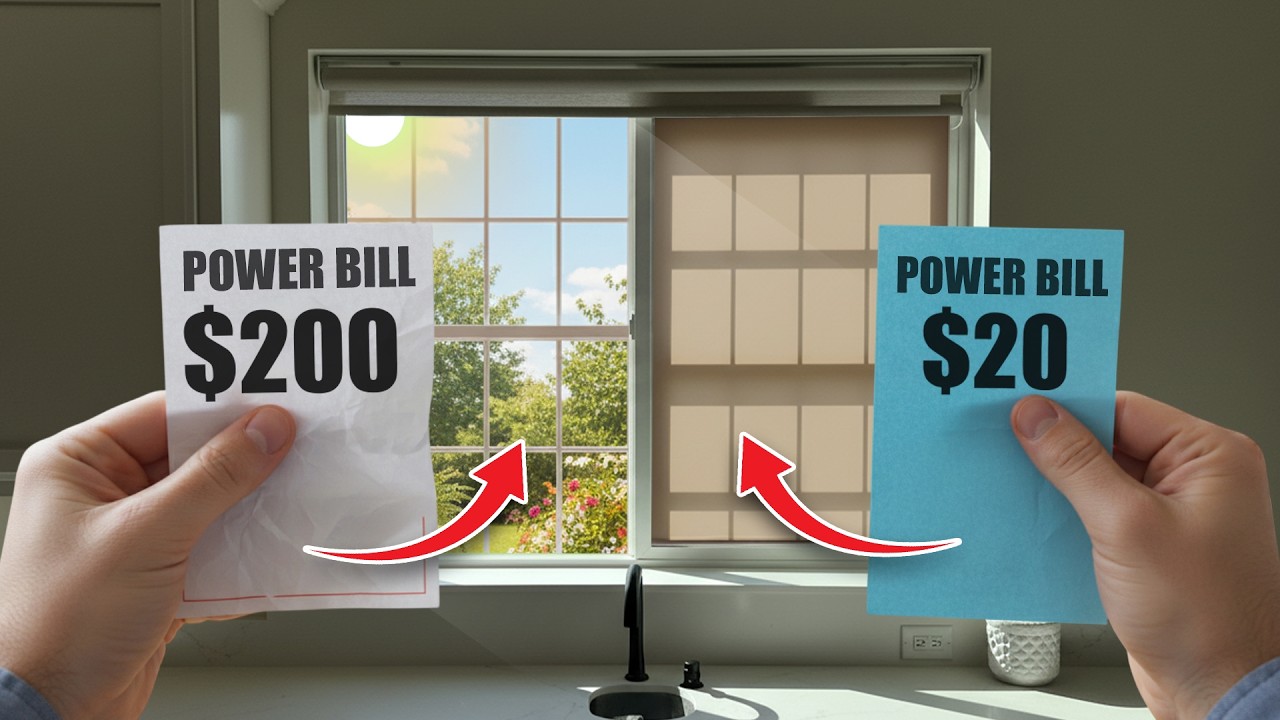
Out of all the upgrades you can make to your home to save money, getting smart blinds has to be close to the top of the list, especially if you have large windows facing the south or west. My wife and I recently decided to outfit our home with Smartwings Smart Blinds to help manage the intense heat that beats down on our backyard. We used to have a power bill of $213, and now that is down to $21. To be completely transparent, we also installed solar panels on our house, and that is where the biggest drop came from. But the blinds absolutely helped keep the house cooler, especially with all those massive windows facing the afternoon sun.
We ordered 11 blinds in total, mixing light filtering options for the main areas and strict blackout blinds for the bedrooms. One thing I really appreciated right off the bat was that Smartwings sends out a ton of fabric samples before you commit. Blinds are not a cheap investment, so you have to make sure you get the exact right match for your space. We bought some traditional blinds about a year ago, and the samples helped us find a very close match for the rest of the house. Once we finalized our choices, we placed the order and the custom blinds showed up at our door about two weeks later.
Each blind arrived well-protected with bubble wrap. Inside the box, you get the blind itself, a DC charging cable, an expansion screw set, and a slim solar panel. The entire package is very straightforward, giving you exactly what you need to get them up on the wall without a massive headache.
Real-World Performance
To see how well these blinds actually performed in the real world, I started by testing the blackout capabilities in my girls' bedrooms. At around 3:30 or 4:00 in the afternoon, the sun blares straight through their windows with intense, white light. When I lowered the Smartwings blackout blind, the room went completely dark. I was genuinely shocked by how well it blocked out the light. It is a massive upgrade over standard off-the-shelf shades.
I also spent a lot of time testing the fine-tuning capabilities. If you lower the blind all the way to 0 percent, it rests slightly on the window sill or landing, which causes the fabric to crinkle and fold at the very bottom. To fix this, I went into the app and simply set the lower limit to 1 percent. That way, the blind hangs with a tiny little gap at the bottom, keeping the fabric perfectly straight and taut.
Unfortunately, my experience with the voice control was far less impressive. My favorite theoretical feature was how these blinds work with Alexa and Google Assistant, but in practice, they are quite temperamental. I labeled the blinds in my bedroom with extremely simple names like '1', '2', '3', '4', and '5'. Even with a name as simple as a number, Google struggled to understand me. I would say, 'Hey Google, open 1 to 10 percent,' and it would fail. It literally took about ten attempts of me repeating the command before the assistant finally understood and moved the blind to the 10 percent mark.
Design & Build Quality
When it comes to the build quality and installation, the hardware is generally very well thought out. The mounting brackets are spring-loaded. You just slide the blind in, push it back, and it locks into place with a satisfying snap. They recommend putting the end brackets about 4 inches from the edge. For our wider blinds, which measured 70 and 5/8 inches, I carefully measured to the halfway point at 35 inches to place the middle bracket. You will see these brackets a tiny bit when the blind is mounted, so keeping them perfectly even is crucial if you are a stickler for details like my wife.
Smartwings includes a paper template with two-sided tape to help you align your pilot holes. While this is a great idea, we found out the hard way that the tape is incredibly sticky. I slapped it against the wall to mark my holes, and when I pulled it off, it took a little bit of paint off with it. From that point on, I was very careful not to press the tape down too hard. Despite that small hiccup, the installation process was fantastic. We put up all 11 blinds in just two to two and a half hours. You get a great shoulder workout driving all the screws, but it is an incredibly easy process.
There are a few design quirks you need to be aware of before ordering. First, you have to choose whether you want a valance built into the blind. We opted not to get one, and as a result, you can clearly see the white roll of fabric at the top of our blackout blinds. Smartwings does not offer a snap-on valance that you can add later; it has to be built into the blind at the factory. Additionally, the bottom bar can be left as a standard white piece of plastic, or you can have it wrapped in the blind's fabric. We chose the wrapped option, and I highly recommend it because it looks much cleaner and more premium.
The most frustrating design flaw I encountered involves the solar panel cord. When ordering, you have to choose which side you want the motor on. Smartwings recommends the right side so the USB-C cable can be hidden for aesthetics. However, if you place the motor on the right and stick the solar panel on the left side of the glass, the cord has to stretch tightly across the window. Because the cord is so short, it completely limits how far you can open the window. I could only open ours about 7 or 8 inches. I forgot about this limitation one day, pushed the window open, and completely ripped the cord right out of the solar panel. I wish they had made that cord just a bit longer or used a retractable design.
Key Features
To unlock the smart features, you have to purchase the Smartwings hub separately, which is essentially just a large USB drive that plugs into an outlet. Once the hub is connected to your Wi-Fi, you can add the blinds as sub-devices. Linking them is simple: you just hold the power button on the blind until it jogs up and down about an inch, and then you can label it in the app.
The app gives you a lot of manual control. You can drag your finger up and down to set the exact height, or use a pause button to stop it instantly. I love the 'best position' feature, which lets you program a default height, like 5 percent or 20 percent, and snap the blinds to that exact spot with one tap. You can also group your blinds into rooms, which is how I bundled all the windows in my master bedroom and bathroom together.
The scene section is where the automation really shines. I set up a 'tap-to-run' button that opens or closes a whole group of blinds instantly. More importantly, I rely heavily on the daily schedules. I created a master schedule that closes every blind in the house at 7:00 PM. I also created a custom morning schedule for 9:00 AM, but I only selected three specific blinds in my bedroom to close at that time, since those are the windows that get hammered by the morning sun.
If you prefer physical buttons over an app, Smartwings includes an excellent remote control. You can opt for a 5-channel or a 15-channel remote depending on how many blinds you have. The layout could not be simpler: there is an up button, a down button, and a middle button to pause the movement. You can assign different channels to specific blinds, making it incredibly easy to control a single window or an entire room without touching your smartphone.
Who It's For
I would strongly recommend the Smartwings Smart Blinds to homeowners with large, sun-facing windows who want an automated way to control the temperature in their house. If you are looking for an affordable, custom-measured smart blind system that installs quickly and can charge itself via solar panels, this is a fantastic option. The app scheduling and blackout capabilities make them well worth the investment.
Who Should Skip It
If your smart home heavily relies on flawless Google Assistant voice commands, you should probably look elsewhere, as the integration here is spotty at best. Additionally, if you have windows that you frequently slide open all the way, the short solar panel cables are going to get in your way and could easily snap if you forget they are attached.
How It Stacks Up
Within the broader landscape of automated window treatments, motorized blinds are notoriously expensive and often require professional installation. Smartwings manages to deliver a premium, custom-fit experience that ships directly to your door in a matter of weeks. While you can find cheaper, non-smart blinds at local hardware stores, the ability to automate daily schedules and run them off solar power puts this system a step above basic off-the-shelf shades. The fact that an average homeowner can install 11 of these in just over two hours makes them incredibly competitive in the DIY smart home space.
Final Verdict
Overall, my experience with the Smartwings Smart Blinds has been largely positive. While I wasn't thrilled with the sticky mounting template pulling paint off the wall or the frustratingly short solar cable, the actual performance of the blinds is excellent. The blackout fabric is incredibly effective, the physical remote is dead simple to use, and the app allows for exact limits and schedules that fit my life perfectly. If you are ordering these, I highly recommend selecting the wrapped bottom bar and adding the built-in valance to ensure you get the cleanest look possible.
How are Smartwings Smart Blinds powered?
They come with a DC charging cable, but they also include a slim solar panel with two-sided tape that sticks to your window to keep the motor charged.
Do Smartwings blinds work with Google Assistant?
Yes, they work with both Alexa and Google. However, in my testing, the Google Assistant integration was very temperamental and often required multiple attempts to understand basic commands.
Can you add a valance to Smartwings blinds after ordering?
No. The valance must be built into the blind at the factory when you place your order; there is no snap-on valance you can add later.
How do you connect Smartwings blinds to the smartphone app?
You need to purchase the Smartwings hub, which looks like a large USB drive. Once the hub is active, you just hold the power button on the blind until it jogs, and it connects as a sub-device.
Is it hard to install Smartwings Smart Blinds?
Not at all. The installation is a very straightforward and easy process; it only took my wife and me about two to two and a half hours to install 11 blinds.