
Tapo RV50 Pro Omni
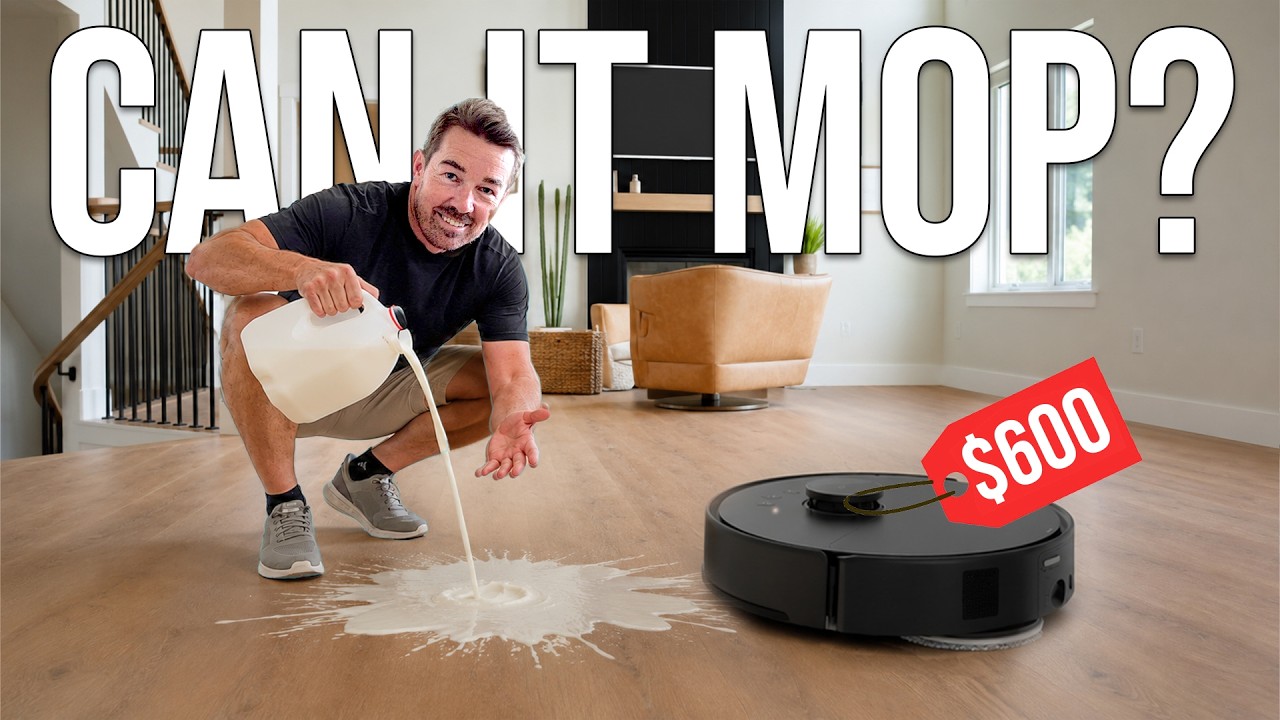
I threw everything from crushed crackers to raw eggs and muddy footprints at the Tapo RV50 Pro Omni to see if a $600 robot vacuum can actually mop.
- Cleared a raw egg with zero sticky residue left behind on my hardwood floors.
- The dock automatically slices tangled hair and feathers off the roller.
- One mop head physically extends a couple of inches to clean along baseboards.
- Auto-empty dock washes the mop pads with hot water and dries them with hot air.
- Automatically avoids deploying the wet mop pads when it detects carpet.
- Took five full cleaning cycles to clear the stickiness of a spilled juice pouch.
- Navigation was noticeably slow when weaving under my dining room table.
- Bumped into me twice when I intentionally stood directly in its cleaning path.
- MSRP
- $600
Tapo RV50 Pro Omni
Amazon · Check current price · As an affiliate we may earn from qualifying purchases.
Overview
Today, I set out to find out just how much performance you can actually squeeze out of a $600 robot vacuum. I got my hands on the Tapo RV50 Pro Omni from TP-Link. Most people know TP-Link because they are ranked number one in routers, mesh Wi-Fi, and switches—I actually have several of their smart switches wired into my own house right now. Tapo is their dedicated smart home brand where you will normally find cameras, doorbells, and lights. Now, they are breaking into the robot vacuum space.
The premise here is highly ambitious. The RV50 Pro Omni is aiming to be a true flagship-tier robot vacuum with a fully automated base station, but it comes in at a budget-friendly price point. At full retail, you are looking at $600, but they are currently doing an early bird launch special that knocks $100 off, bringing it down to just $500. That is incredibly cheap for a machine claiming to vacuum, mop, empty itself, and wash its own pads. Naturally, I had to put it through a gauntlet of messes to see if the reality lives up to the spec sheet.
Real-World Performance
To find out how well this thing sucks, I started by crushing up a massive amount of crumbs directly onto my hardwood floor. For this test, I went into the app, selected 'vacuum only', and chose two cycles using the ultra mode and deep clean settings. I bumped everything up to the absolute highest level to unleash the full power of the machine. After two rounds, it missed a few tiny specs, but it effectively got 99% of the mess. Since no one is realistically going to have that many crushed crumbs on their floor, I repeated the test with a single crushed saltine cracker. After one pass, there were virtually no crumbs left behind.
Sucking up dry debris on hardwood is pretty standard, so I took it up a notch to see how it handled wet, sticky messes. I cracked a raw egg onto the floor. While the shell was far too big for any robot vacuum to physically ingest—I purposely left it there to see what would happen—the robot cleared all of the raw egg liquid perfectly. I even had my wife do a 'walk test' over the spot right after it dried. There was absolutely no stickiness left behind.
One of the most common questions I get asked is whether these vacuums just spread spilled drinks around or actually pick them up. I poured out a juice pouch to find out. I changed the water level to low so the mop pads would remain relatively dry and absorb the liquid. After round one, the floor was still very wet with no standing pools, but definitely sticky. I ran three more cycles, and my wife's shoes were still sticking slightly. I ran one final cycle—making it five passes total—and while I could still hear a tiny bit of tackiness underfoot, it was massively improved. Finally, I tested a heavy mud footprint. I could visibly see the downward force the robot applied to the mop pads, and it lifted the dirt completely with maybe just a microscopic speck of residue left behind.
Design & Build Quality
For a budget-friendly robot, the physical build and automated maintenance dock are genuinely impressive. On the robot itself, there is an onboard dustbin that temporarily stores all the crap it collects. When it finishes cleaning and heads back to the charging dock, the base station sucks all that debris out of the robot's internal bin and deposits it into a much larger storage bag. TP-Link gives you two of these large bags in the box, and depending on the size of your house, you shouldn't have to change them for several months.
The mopping hardware is equally well thought out. The mop pads attach magnetically, so you just pop them off and snap them right back on. While you can detach them and throw them in your washing machine, the base station is designed to handle that for you. Behind the scenes, the dock uses a clean water tank and the included cleaning solution to run its maintenance routine. A bunch of nozzles spray the dirty mop pads with hot water and sanitizer to flush out the grime.
Once the pads are completely washed, the base station kicks on a hot air drying cycle. This is a crucial design choice because it ensures the pads dry out fully, completely preventing that nasty, sour mildew smell from developing in your living room. The whole self-cleaning and fluid transfer process takes about two minutes to complete before the robot is ready to head back out.
Key Features
One of the standout features I tested was the anti-tangle brush system. If you have pets or a spouse with long hair, brush rolls get destroyed quickly. The Tapo RV50 has a specialized blade built directly into the charging dock. If hair wraps around the roller, the robot docks, and this blade slides through to physically slice the tangled hair so it can be safely sucked into the bin. I tested this by feeding it long hair and a feather. It initiated the haircut sequence, sliced it right off, and sucked it away flawlessly.
The mopping system also has a brilliant physical extension feature. When the robot is navigating along walls, one of the mop heads jolts out a couple of inches. It actively reaches to scrub right up against your baseboards so you don't get a dirty perimeter around your room. It is also smart enough to know when it hits carpet. In the app, you can select 'only carpets' before it leaves the dock, and it will keep the mop pads retracted so you aren't dragging wet, dirty pads across your rugs.
Finally, I wanted to test the obstacle avoidance. I drew a specific cleaning zone around my dining table with all the chairs pushed in. The robot was noticeably slow to navigate through the dense chair legs, but it successfully made it through. It also managed to maneuver within an inch of my dog's toy and my shoes without running them over. I jumped directly into its path to see if it could avoid a moving human; it did hit me twice, but overall, the object recognition is surprisingly solid for the price.
Who It's For
I'd recommend the TP-Link Tapo RV50 Pro Omni to budget-conscious homeowners who want the fully automated, hands-off experience of a flagship robot without spending over a thousand dollars. If you have a mix of hard floors and carpets and want a robot that can auto-empty, wash its own mop with hot water, and actively slice tangled hair off its roller, this is a phenomenal value.
Who Should Skip It
If your household regularly sees massive, sticky liquid spills—like full glasses of juice or soda—and you expect a robot vacuum to perfectly clear it in a single pass, you should skip this. You will need to run multiple targeted cycles to fully remove thick, sticky residue, so it is better suited for maintenance mopping and light spills rather than heavy liquid cleanup.
How It Stacks Up
When looking at the broader market of automated floor cleaners, the $600 bracket is usually filled with basic self-emptying vacuums that simply drag a static, wet rag across the floor. True Omni docks—stations that wash the mop with hot water, dry it with hot air, auto-empty the dustbin, and refill the onboard water tank—are usually reserved for models costing well over a thousand dollars. By including features like the edge-reaching mop arm and the built-in hair-slicing blade at the dock, TP-Link has delivered a feature set that drastically outperforms its mid-tier price tag.
Final Verdict
This robot cleaned up a ton of crumbs, a raw egg, a muddy footprint, and eventually a juice pouch, all while showing off some genuinely clever automation features. While it takes more than one cycle to handle highly concentrated, sticky messes, the value proposition here is undeniable. At an MSRP of $600, and effectively $500 with their launch discount, the TP-Link Tapo RV50 Pro Omni is a massive win that I highly recommend adding to your smart home setup.
Does the TP-Link Tapo RV50 Pro Omni wash its own mop pads?
Yes, the base station features nozzles that spray the pads with hot water and sanitizer from the clean water tank. After washing, it uses hot air to dry the pads so you don't get a mildew smell.
How does the Tapo RV50 handle long hair on carpets?
It has an anti-tangle brush, and when it returns to the charging dock, a built-in blade comes through and cuts any long hair off the roller so it can be sucked into the dustbin.
Can the Tapo RV50 clean up spilled liquids like juice?
It can, but in my testing, it took about five full cleaning cycles on the low water setting to completely remove the sticky residue from a spilled juice pouch.
Does the Tapo RV50 mop edges and baseboards?
Yes, one of the mop heads actually jolts out a couple of inches to get right along the edge of your walls and baseboards.
Is the Tapo RV50 safe to use around rugs and carpets?
Yes, in the app you can select 'only carpets' before the robot leaves the dock, and it will prevent the wet mop pads from dropping and dragging across your carpet.